

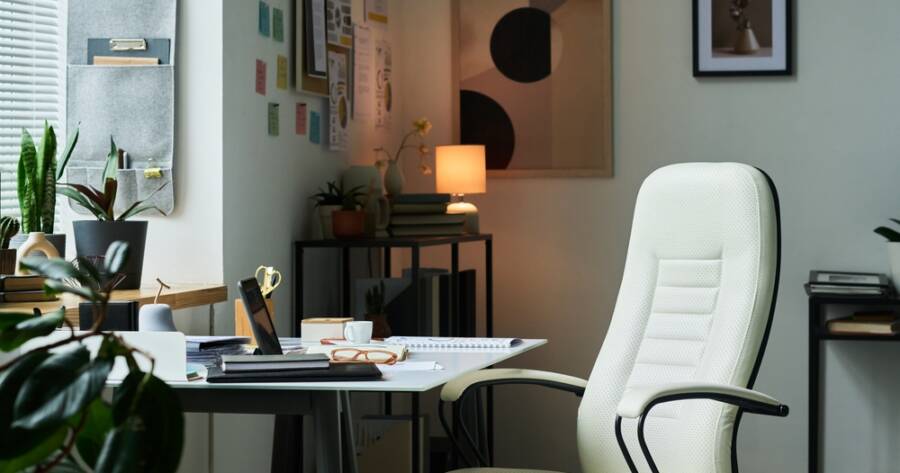
Working from home offers comfort and flexibility, but it can also lead to back pain, neck tension, and tired eyes if your setup is not designed well. Many remote workers in the United States spend hours sitting at a desk each day. Without proper support, small posture problems can turn into daily discomfort. The good news is that simple ergonomic upgrades can reduce strain, improve focus, and help you work more comfortably for longer periods.
Choose an Ergonomic Office Chair
Your chair is one of the most important parts of your home office. A good ergonomic chair supports your lower back and helps you sit upright without leaning forward. Look for a chair with adjustable seat height, lumbar support, and armrests. Models like the Herman Miller Aeron and Steelcase Series 1 are often chosen for their adjustable design and long-term comfort.
When sitting, your feet should rest flat on the floor and your knees should be at a right angle. Your lower back should feel supported, not curved or strained. Adjust the armrests so your shoulders stay relaxed instead of lifted. Even a strong desk setup cannot fix poor seating, so this is a key first step.
Use a Height-Adjustable Desk
A height-adjustable desk allows you to switch between sitting and standing during the day. Standing desks like the Uplift V2 or FlexiSpot E7 let you raise or lower the surface with a button. This makes it easy to change positions and reduce pressure on your lower back.
Alternating between sitting and standing helps reduce stiffness and encourages movement. You do not need to stand all day. Instead, try standing for short periods, such as during meetings or phone calls. Make sure your screen remains at eye level whether sitting or standing to prevent neck strain.
Position Your Monitor at Eye Level
Looking down at a screen for hours can strain your neck and shoulders. Your monitor should be placed directly in front of you, with the top of the screen at or slightly below eye level. This keeps your head in a neutral position.
If you use a laptop, consider a laptop stand such as the Rain Design mStand or a similar adjustable riser. Pair it with an external keyboard and mouse so your arms stay at a comfortable height. If you use multiple monitors, align them evenly and avoid twisting your body to see one screen. Keeping everything centered reduces uneven pressure on your neck and back.
Upgrade to an Ergonomic Keyboard and Mouse
Standard keyboards and mice can cause wrist strain over time. An ergonomic keyboard, such as the Logitech Ergo K860, is shaped to support a more natural hand position. These designs help reduce tension in your wrists and forearms.
An ergonomic mouse, like the Logitech MX Vertical, keeps your hand in a handshake position instead of flat on the desk. This can reduce pressure on your wrist and help prevent discomfort. Place both the keyboard and mouse close enough so your elbows remain at your sides. Your wrists should stay straight, not bent upward or downward.
Add Proper Lighting to Reduce Eye Strain
Poor lighting can lead to eye fatigue and headaches. Natural light is helpful, but it should not shine directly onto your screen. Position your desk so light comes from the side rather than from behind or in front of you.
A desk lamp with adjustable brightness, such as the BenQ e-Reading Desk Lamp, can provide steady light during darker hours. Many modern monitors also include blue light reduction settings. Adjusting screen brightness to match your room lighting can help your eyes feel more relaxed. Taking short breaks to look away from the screen every 20 minutes also supports eye comfort.
Use a Footrest and Anti-Fatigue Mat
If your feet do not rest flat on the floor, a simple footrest can improve posture. This keeps your legs supported and reduces pressure on your lower back. Adjustable footrests allow you to find the right height for your chair.
If you use a standing desk, consider adding an anti-fatigue mat. These mats provide cushioning that reduces pressure on your feet and legs while standing. Small additions like this can make a noticeable difference during long work sessions.
Build Comfort Into Your Daily Routine
An ergonomic home office is not about adding more equipment. It is about choosing the right tools and placing them correctly. A supportive chair, adjustable desk, properly positioned monitor, ergonomic keyboard and mouse, and good lighting can greatly reduce strain.
Small upgrades help protect your posture and comfort over time. By setting up your workspace with care, you create an environment that supports both productivity and long-term health.